Progress Photos
Home • Up • 2008 Archives • 2009 Archives • 2010 Archives • 2011 Archives • 2012 Archives


Progress Photos
Photo Gallery
Operations


The Shelf Layouts Company,  Custom Layout Builders and Designers


_______________________________________________________________________


May 19, 2013:  This weekend I laminated the structure face to the core.  The core is PVC board which does accept solvent cements making it easy to glue the styrene on.

_________________________________________________________________________________________________________________

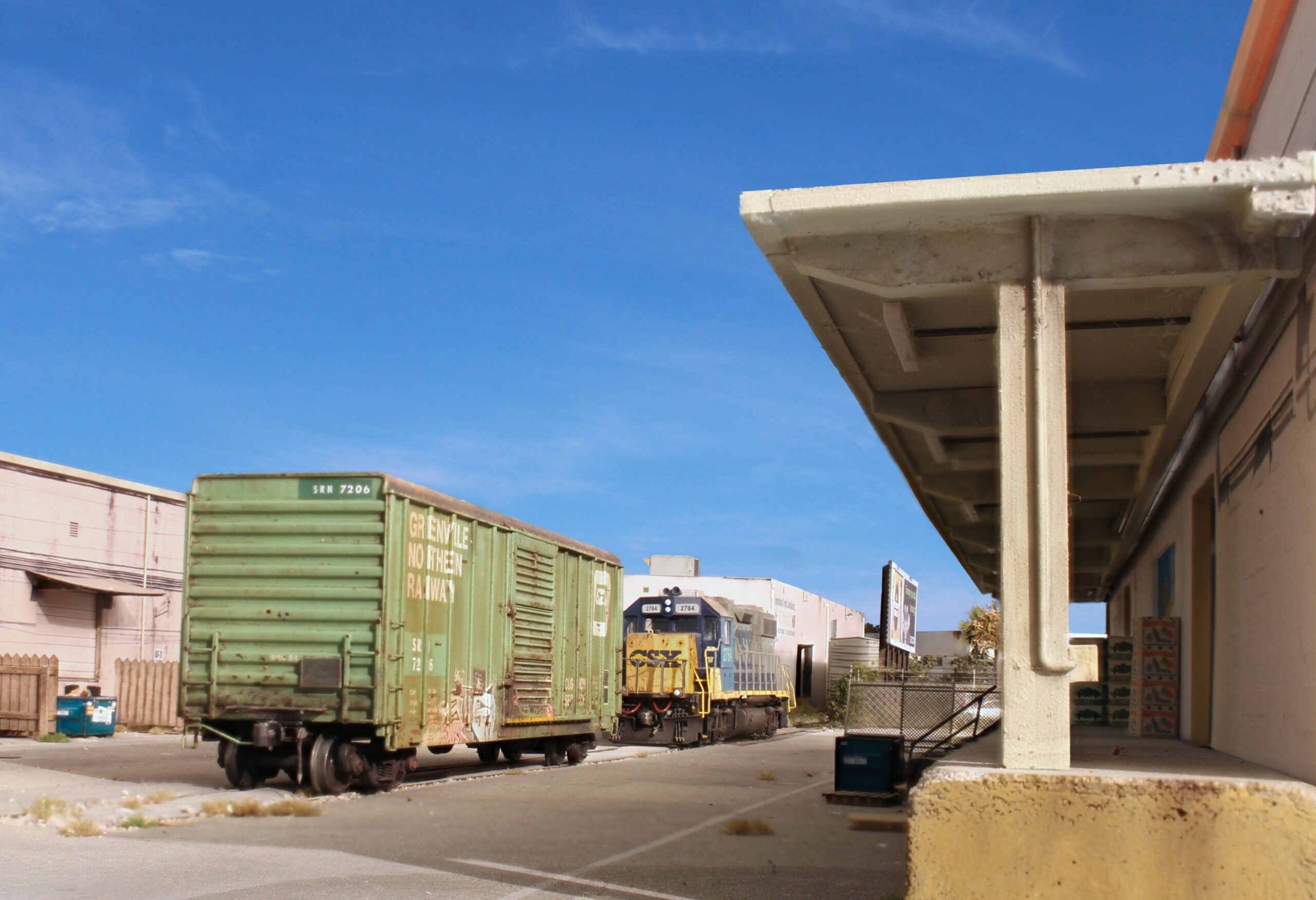
May 11, 2013:  The Gulf Atlantic Warehouse is a massive structure directly across the courtyard from Trujillo and Sons.  Just as you have 'flats' against the backdrop I guess you'd call this the mirror image of those, i.e. and aisle flat.  The side facing the aisle will be blank.  The detailed side will be facing the layout.  The only reason I'm including the structure at all is for photography.


Because of it's large size it's important that the core be very rigid.  It seems odd to see tools this heavy going to work on a model structure.


I wanted the base to be close to a scale four feet in HO which means a thickness of 1/2"  The only thing I could find was floor molding which I ran through the table saw to get the correct depth.  The structure face is PVC board.


Here's a test mock up showing the veneer panels I cut last week with the die cutter.  The surface of PVC boards is very smooth which should lend itself well to attaching the veneer.


April 25, 2013: It's been awhile so shown below are some overall shots of the layout as it stands now shot from a variety of angles.


April 21, 2013: Directly across 12th Avenue to the west of Trujillo is a non-descript structure housing Bond Plumbing Supply.  Construction methods followed my standard photo wallpaper technique.


April 8, 2013:  Noticeable in many pictures of the courtyard with Trujillo and Sons is the beauty supply at the east end at 1101 22nd Street.  I built it based on the paint scheme that existed in 2007.


March 24, 2013:  Trujillo's trademark hedge has been added as well as scratch built, dummy street lights.  The hedge was made from a strip of Mirlon synthetic steel wool sprinkled with ground foam.  I then draped some Woodland Scenic vines over it in a few strategic locations.  The fixtures for the streetlights were scavenged from  Details West light castings and attached to .010" styrene strip with a thin section of wire.


March 15, 2013:  I finally got my camera back from the repair shop.  Shown below is the progress on the Trujillo and Sons structure which is now planted in its final resting place on the layout.


View of the entire structure facing east.


Closer view of the structure facing east.


Oil tanks and shot of some of the stand off details.


Closer view of the tanks.


Far east 'oil plant' end of the structure.  Machine under the logo is a box baler.


Photo backdrop facing north down 11th street.


_____________________________________

March 6, 2013:  The oil storage tanks are a signature feature of the Trujillo plant.  Since I began photographing them, the tanks have faded noticeably from year to year to the point where you can barely read the logo any longer.  Modeling the fade, streaks, and especially the faded logo presented a challenge.  Ultimately I decided on using a doctored photograph, printed it out, and wrapped it around a length of pvc pipe.  The photo editing was a challenge because I was dealing with the distortion of the curved tank surface.  This made the weld seams appear as curved lines when I actually needed them to be straight.  Also, any photo of the logo would be distorted.  It took a lot of trial and error, distortion correction, and cut and paste.  After I wrapped the photo around my pvc pipe I finished the project by adding lift rings and vent pipes from my scrap bin.


Here's the tanks as they appeared in 2012. Notice the weld seams and subtle streaking.


Using a composite of several photos, I produced this image in photoshop to act as the tank surface.


Here are the completed tanks.


February 14, 2013:  The next step is to add stand off details so the photo surface doesn't look so obviously flat.


For the louvered vents I started with Pikestuff vents and cut the centers out.  I then used photos of the actual louvers and glued those inside the frames.


For the security grates over the windows I used BLMA chain link fencing material.


February 10, 2013:  This weekend I finished the photo wallpaper for the entire structure.  The photos essentially replace what I would have done with paint before.  There is still a lot of work to be done with respect to stand off details.  Conduits and downspouts will be used to hide the seams between photos.

Overall shot of six foot long structure


Note the masonry wall (represented by a photo) in the back of door B.


Freight doors are from my collection of door photos I've picked up over the years.  Dialing back the saturation with photoshop gives them a faded look.


The right side of the structure is for the oil plant.


February 8, 2013: Next step, photo wallpaper veneer.  After cleaning up and sizing the image, I print it out on high quality gloss paper, cut it to shape, and glue it to the styrene surface with Super77.  When all of wallpaper is attached I'll spray it with Krylon Preserve It (matte).


February 3, 2013:  This weekend I worked on the roof which is some form of membrane.  First I laid a base of Rustoleum light gray primer.  When that dried, I applied a second coat of Liquitex neutral gray number 7.  I drew the roof lines in lightly with a black pencil and straight edge.  Weathering was done by airbrushing on india ink patterns of varying strengths.


January 30, 2013:  In this view, the core has been laminated with .060" styrene.  Next up is painting the roof followed by the photo wall papering.


January 26, 2013:  Stretching a full city block in length, Trujillo and Sons is the largest structure on the layout.  The model version is six feet long and for lack of a better term will be more of a background structure (thicker than a flat but thinner than most structures on the layout).  Through trial and error I've found the key to larger structures is to have a very solid core as a starting point.  I'm trying something new this time using 1x3 PVC 'boards' as the core, the logic being it will be less prone to warping than wood or particle board.  I'll then laminate .060" styrene to the core and then laminate photos to the styrene.


January 24, 2013:  The pavement sections were glued to the layout with a combination of super glue gel and DAP adhesive chalk.  Before gluing the BLMA rubber crossings between the rails I carefully checked the rail heads for cleanliness and the flangeways for errant ballast.  Experience has taught me that if these areas aren't totally clean and clear you'll constantly be dealing with your loco. stuttering as it traverses the crossing.  It's also critical to make sure that at the point the pavement/crossing pieces meet the rail that the rail be slightly higher.  If it's not, the loco. will ride upwards, lose contact and stall.  It's nice to have this key crossing finally complete.  Next up is the Trujillo and Sons structure visible in the background. At the present it's just a mockup.


January 21, 2013:  The challenge with weathering roadways is breaking up the uniformity of the base colors while at the same time keeping the transitions between weathering edges very subtle.  Here's the finished model ready for installation on the layout.


January 20, 2013:  Mask and spray, mask and spray.  It's pretty tedious but it's the only way to produce convincing striping.   If you model an urban area, roadways will be some of the most important structures.  As such it's worth putting the effort in to model them prototypically.  This means accurate lane widths, stripe widths, and marking patterns.  In the photos below the base colors are complete but much remains to be done with respect to weathering and detailing.


January 18, 2013: Kicking off 2013, the first project will be constructing the fairly elaborate grade crossing at 12th Avenue.

Techniques are as before with the starting point being a slab cut to shape from a sheet of .060" styrene.


12th Avenue facing north with Trujillo and Sons on the right.  I haven't decided yet if I will model the elevated metro structure.  I'm inclined to do so.


_____________________________________________________

January 1, 2013:  CBI is a waste products recycler that ships in 30k gallon tanks.  Walthers makes a very nice, very detailed model of this car and happened to have it on sale.  I added cut levers, Kadee scale shelf couplers, and air hoses.  I poured some liquid dullcote in my air brush cup, added two drops of Floquil Grime, and gave the entire car a hazing of this mix.  Although not that visible, there are some patch outs which I handled by cutting squares in a 3x5 card to make a mask.  Final weathering consisted of dark brown chalk in strategic locations as well as for the end wheel splatter.